
Run Your Hospital Without Being There: A Guide for Owners
Many private facilities in Uganda are owned by doctors who also work in a government hospital, teach, or run a second clinic. Others are owned by investors or families who are not clinicians at all. In both cases the owner cannot be at the facility all day, and the question is always the same: how do I know what is really happening when I am not there?
The honest answer is that you cannot supervise everything in person. You can, however, set up systems that show you what matters, from anywhere, every day. This article explains how to run a hospital remotely, step by step.
Why absent owners lose control
- Daily collections are reported by phone or on paper, and cannot be checked.
- Stock is counted rarely, so missing medicines are discovered weeks later.
- Staff share one login or no login, so nobody is accountable for a change.
- Problems reach the owner only when they have become crises.
Step 1: Give every staff member their own login
Accountability starts with knowing who did what. Each person, from the receptionist to the doctor, should sign in with their own account. Shared logins save a few minutes at setup and cost you every investigation later.
Step 2: Limit what each role can do
Use role-based permissions. The cashier records payments but cannot change prices. The pharmacist dispenses but cannot delete invoices. Only management can reverse a payment, and no discount goes through without a written reason and the name of whoever approved it. When each role can only do its own job, mistakes and misuse become much harder.
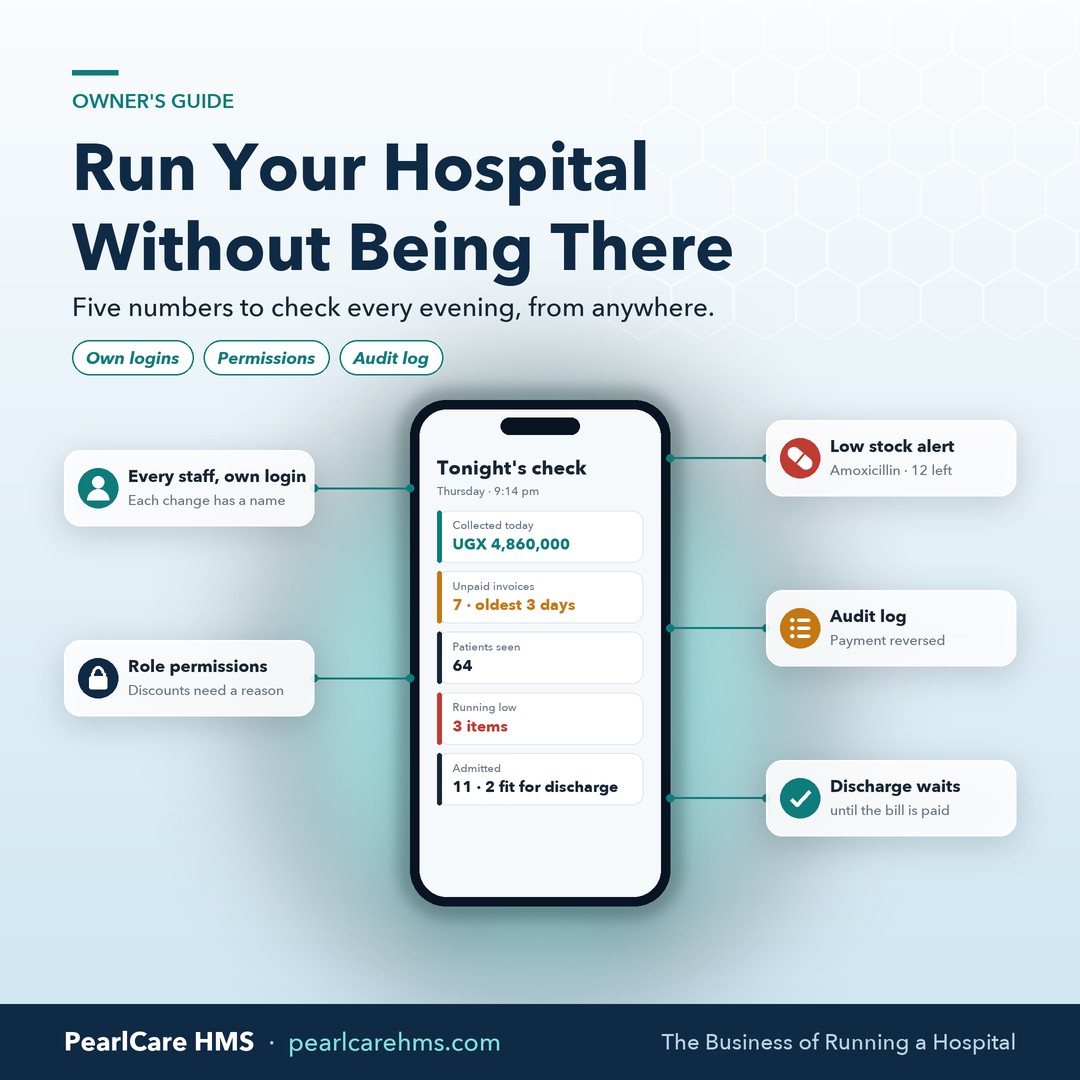
Step 3: Check five numbers every day
You do not need to read every record. You need a short list of numbers that tell you whether the day was normal:
- Total collected today, by cash, mobile money and bank
- Invoices still unpaid, and the oldest ones
- Patients seen, by department
- Medicines and supplies running low
- Patients currently admitted, and anyone ready for discharge
If these numbers look normal, your facility probably had a normal day. If one looks strange, you know exactly where to ask.
Step 4: Review the audit log weekly
An audit log records sensitive actions: deleted records, reversed payments, price changes, failed sign-ins. Ten minutes a week looking through it tells you whether anything unusual is happening, and staff behave differently when they know actions are recorded.
Step 5: Look at the month, not just the day
Once a month, look at income by department, expenses, and the profit or loss. Compare with the previous month. Ask why the lab grew and the pharmacy fell. This is where real decisions about staffing, pricing and investment come from.
See PearlCare HMS working with your own departments. Request a free 30-minute demo, WhatsApp us on +256 705 129 090 or email support@pearlcarehms.com.
Step 6: Agree clear rules and let the system enforce them
Write down a few rules that protect the business, such as: bills are settled before discharge, every discount has a written reason, stock received is recorded with its expiry date. Then use hospital administration software that enforces them, so your manager does not have to fight about them every day.
Common mistakes absent owners make
- Relying on one trusted person for every report. Trust is good; independent figures are better.
- Checking only the money, not the stock. Missing medicines are missing money.
- Visiting on a fixed day. Problems are tidied up before you arrive.
- Reacting only to crises, instead of noticing small changes in the daily numbers.
- Not explaining the rules to staff. Clear rules, applied by the system, feel fair rather than personal.
What a good evening check looks like
Many doctor-owners build a ten-minute habit: after their own shift, they sign in from their phone, look at the day’s collections and unpaid invoices, glance at low-stock items and admissions, and send one or two questions to the manager. Over time, the questions get fewer, because the team knows the numbers are being read.
How PearlCare HMS helps you run a hospital remotely
PearlCare HMS is cloud-based, so an owner can sign in from a phone or laptop anywhere with internet. Every staff member gets their own account with role-based permissions. The finance overview shows collections, unpaid invoices, income by department and expenses. Low-stock alerts flag items to reorder, discharge waits for payment, discounts need a reason, and an audit log records sensitive actions such as reversed payments and deleted records. Read more about the revenue leaks owners should watch for, or our guide to choosing hospital management software in Uganda.
Conclusion
Being present every day is not the same as being in control. Owners who set up individual logins, clear permissions, a daily five-number check and a weekly audit review often know more about their facility than owners who sit at the front desk.
Frequently asked questions
Can I check my hospital’s collections from my phone?
Yes, if your system is cloud-based. You sign in through a web browser and see the same reports as at the facility.
What is role-based access?
Each staff role gets only the permissions it needs, for example a cashier can record payments but cannot change prices or delete invoices.
What is an audit log?
A record of sensitive actions in the system, showing who did what and when, such as reversed payments, deleted records and sign-ins.
Ask for a PearlCare HMS demo focused on the owner’s view: finance overview, permissions and audit log. Request a demo or WhatsApp +256 705 129 090.
About the author: Cosarn Technologies Ltd builds digital solutions for healthcare providers and businesses in East Africa, including PearlCare HMS, a hospital management system built in Uganda for Ugandan clinics and hospitals.