
Hospital Management Software in Uganda: A Buyer’s Guide
Across Uganda, private hospitals and clinics are moving away from paper registers, receipt books and Excel sheets. The reason is simple: when patient numbers grow, paper cannot keep up. Files go missing, bills are forgotten, stock runs out without warning and the owner only finds out at the end of the month.
The answer for most facilities is hospital management software. But not every system fits a Ugandan clinic. Some are built for large hospitals abroad, some are hard to use, and some are sold without the training and support a busy team needs. This guide explains what to look for in hospital management software in Uganda, so you can make a confident choice.
What is hospital management software?
Hospital management software (often called an HMS) is one system that connects the departments of a health facility: reception, triage, doctors, laboratory, imaging, pharmacy, wards, billing and management. Each department records its work in the same place, so information moves with the patient instead of on paper.
When a doctor orders a lab test, the lab sees it. When the lab records a result, the doctor sees it. When the pharmacy dispenses medicine, the bill is updated and the stock goes down. That connection is what makes the difference.
1. It should follow the real patient journey
Start by drawing how a patient moves through your facility today: registration, triage, consultation, lab, pharmacy, payment, and sometimes admission. Good software follows that journey without forcing staff to re-enter the same details at every desk.
- Each patient gets one record and one number, and repeat patients are found instead of registered again.
- Doctors see vitals, history, lab results and previous prescriptions on one screen.
- Lab and imaging requests reach the right queue, and results return to the patient’s file.
- Prescriptions reach the pharmacy directly, without handwritten slips.
2. Billing must be connected to every service
Most revenue problems in clinics are not caused by too few patients. They are caused by services that were given but never billed. When billing is connected to the consultation, lab, pharmacy and ward, every service becomes a line on the invoice automatically.
Ask the vendor to show you a full visit, from registration to payment, and check that nothing has to be added to the bill by hand. Also check that the system records cash, mobile money, bank and insurance payments, and that a reversed payment leaves a clear trail.
3. Pharmacy and inventory control
Medicines are usually a clinic’s biggest stock cost. The system should take stock out when medicine is dispensed, warn you when items are running low, and record expiry dates when stock is received. Without this, stockouts and expired drugs quietly eat into your profit.
4. Specialist departments you need now, and later
Think about where your facility is going. A clinic that plans to add a maternity unit, inpatient beds, a dental chair or an eye clinic should choose software that already covers those services, rather than buying a second system later. For maternity, look for antenatal care records that follow the Ministry of Health ANC card.
5. Staff access and data security
Patient information is sensitive. Every staff member should have their own login, and each role should only see what it needs: a cashier does not need clinical notes, and a nurse does not need the finance reports. Ask these questions:
- Can I control what each role can see and do?
- Is there an audit log that shows who changed or deleted a record, and when?
- How often is the data backed up, and has a restore been tested?
- Who owns the data if I stop using the system?
6. Reports the owner can actually use
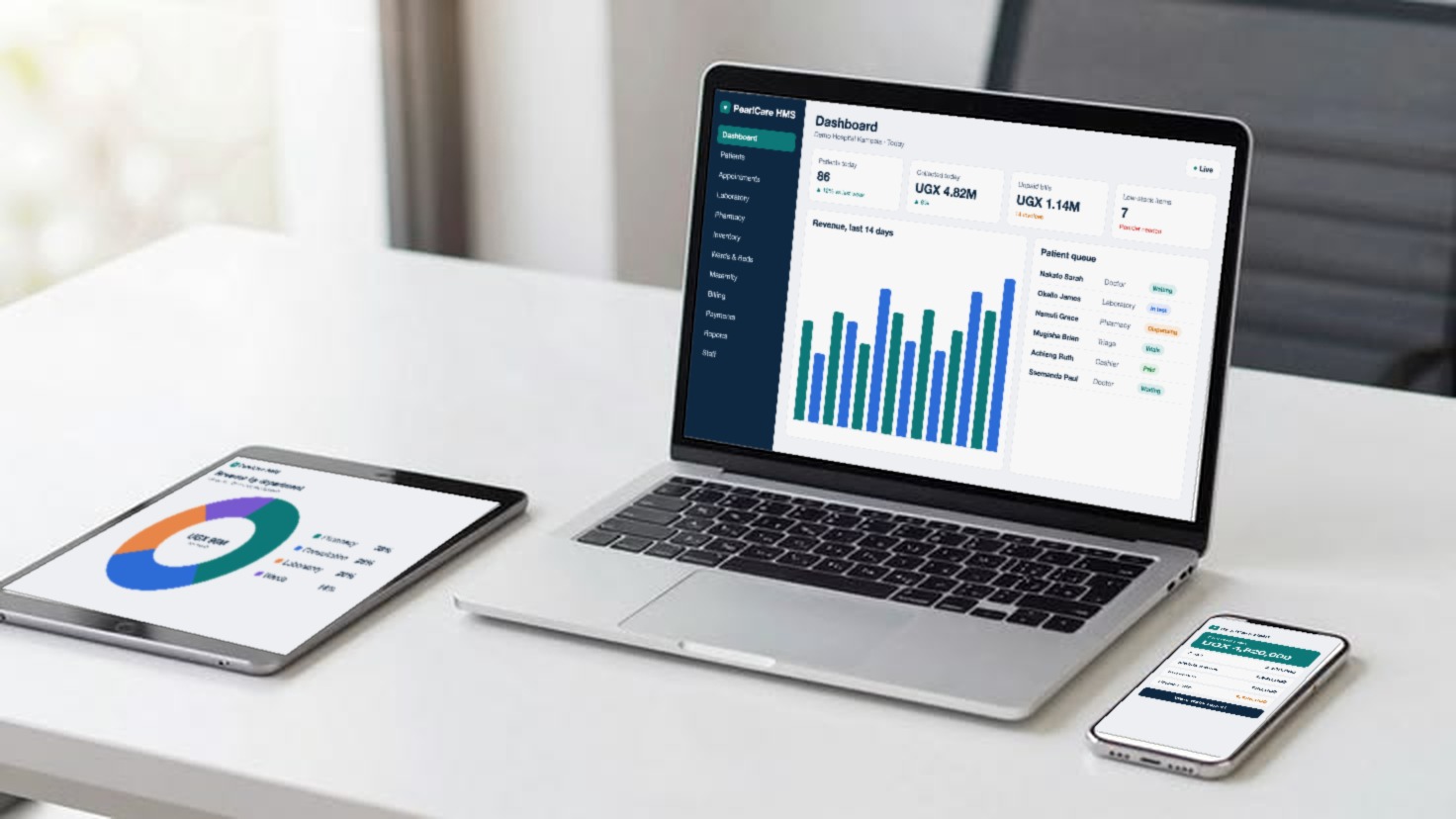
The software should answer the owner’s daily questions without anyone building a spreadsheet: How much did we collect today? What is still unpaid? Which department earns the most? What did we spend? Reports should export to PDF or Excel for meetings and accountants.
7. Cloud access and local support
Cloud-based systems run in a secure data centre and open in a web browser, so there is no server to maintain at the facility and the owner can check on the business from anywhere. The most important factor in Uganda, though, is support: training for your staff, help when something goes wrong, and a team that understands how Ugandan facilities work.
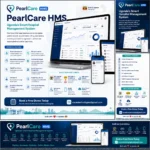
See PearlCare HMS working with your own departments. Request a free 30-minute demo, WhatsApp us on +256 705 129 090 or email support@pearlcarehms.com.
A simple scoring checklist
Score each system you are considering from 1 to 5 on these points, and only compare systems after seeing a live demo with your own workflow:
- Follows our patient journey from registration to payment
- Bills every service automatically
- Controls pharmacy stock and expiry
- Covers the departments we have and plan to add
- Individual logins, role permissions and an audit log
- Clear daily and monthly reports
- Training, local support and a clear price
Where PearlCare HMS fits
PearlCare HMS was built in Uganda by Cosarn Technologies for private hospitals, clinics, maternity centres and specialist clinics. It connects patient registration, consultations, laboratory, imaging, pharmacy and inventory, wards and beds, maternity and antenatal care, billing and payments, and reports in one cloud-based system, with role-based access and an audit log. You can read how facilities use it in our earlier article, How a Modern Hospital Management System Is Helping Healthcare Facilities Run Smarter.
Conclusion
The best hospital management software in Uganda is not the one with the longest feature list. It is the one your staff will use every day, that bills every service, protects your data and gives the owner a clear picture of the business. Take your time, use the checklist above and insist on a live demonstration.
Frequently asked questions
How long does it take to set up hospital management software?
For a small or mid-sized clinic, setup and staff training usually take days, not months. The biggest tasks are entering your price list, staff accounts and opening stock.
Do we need our own server?
Not with a cloud-based system. It runs in a data centre and opens in a web browser on the computers and laptops you already have. You need a reliable internet connection.
Can the software handle mobile money payments?
A good system records cash, mobile money, bank and insurance payments against each invoice, so your daily collections add up.
Request a free 30-minute PearlCare HMS demo and score it against this checklist. Request a demo or WhatsApp +256 705 129 090.
About the author: Cosarn Technologies Ltd builds digital solutions for healthcare providers and businesses in East Africa, including PearlCare HMS, a hospital management system built in Uganda for Ugandan clinics and hospitals.